'%20fill='%233D5A80'/%3e%3crect%20width='48'%20height='24'%20transform='translate(36)'%20fill='%230B1324'/%3e%3cellipse%20cx='63.5'%20cy='21'%20rx='20.5'%20ry='21'%20fill='%233D5A80'/%3e%3crect%20width='20'%20height='8'%20transform='translate(44%2034)'%20fill='%230B1324'/%3e%3crect%20width='20'%20height='14'%20transform='translate(25%2028)'%20fill='%230B1324'/%3e%3crect%20width='7'%20height='8'%20transform='translate(44%2027)'%20fill='%230B1324'/%3e%3cpath%20d='M8%200H45V15C45%2026.0457%2036.0457%2035%2025%2035H8V0Z'%20fill='%230B1324'/%3e%3crect%20width='23'%20height='18'%20transform='translate(2%2021)'%20fill='%233D5A80'/%3e%3cpath%20d='M36.5824%2022.468V0.00341797H44.9899V22.468C44.9899%2033.2535%2036.2639%2041.9969%2025.4998%2041.9969H18.3662V33.5727H25.4998C31.6206%2033.5727%2036.5824%2028.601%2036.5824%2022.468Z'%20fill='%2398C1D9'/%3e%3cpath%20d='M25%208.31354H8.44746V16.6288H25V24.5116H8.44746V33.6086H25V41.9969H0V0.00341797H25V8.31354Z'%20fill='%23EEF8F9'/%3e%3cpath%20d='M49.039%206.11541C57.0641%20-2.066%2070.0444%20-2.03437%2078.0313%206.18616C78.113%206.27028%2078.1925%206.35632%2078.2726%206.44149L73.4907%2013.6479C73.1132%2013.1106%2072.69%2012.5962%2072.2194%2012.1119C67.4274%207.17966%2059.639%207.16024%2054.8239%2012.0688C50.0089%2016.9776%2049.99%2024.9558%2054.7818%2029.8881C59.5739%2034.8203%2067.3623%2034.8397%2072.1774%2029.9312C73.8015%2028.2754%2074.8785%2026.2695%2075.4107%2024.15H64.5257V16.8H83.5879C84.9144%2023.4888%2083.0382%2030.7098%2077.9622%2035.8846C69.9372%2044.066%2056.9569%2044.0343%2048.97%2035.8139C40.9831%2027.5933%2041.014%2014.2969%2049.039%206.11541Z'%20fill='%23EEF8F9'/%3e%3c/svg%3e)
Airgas N2 Calculator

Airgas Nitrogen Calculator
Effective design requires understanding both the user and their complex tasks
6-month full-time digital designer on Airgas's creative marketing team, designing a nitrogen usage calculator for 3D printing customers in partnership with Formlabs
March 2023 – Septemeber 2023
My Roles
UI Designer
UX Researcher
Advertising and Marketing Design
Overview
Airgas, an Air Liquide company, is a national supplier of specialty gases for industrial, medical, and research purposes, as well as safety and manufacturing equipment. Through their e-commerce shop and brick and mortar stores, they support a wide range of businesses, individuals, and organizations.
During my 6 month co-op at Airgas, I worked as a digital designer for a variety of projects, including a new tool that would determine the most appropriate nitrogen supply for Formlabs Fuse 1+ 30W 3D printers. I led design for the UI and user experience of the Airgas Formlabs nitrogen supply calculator.
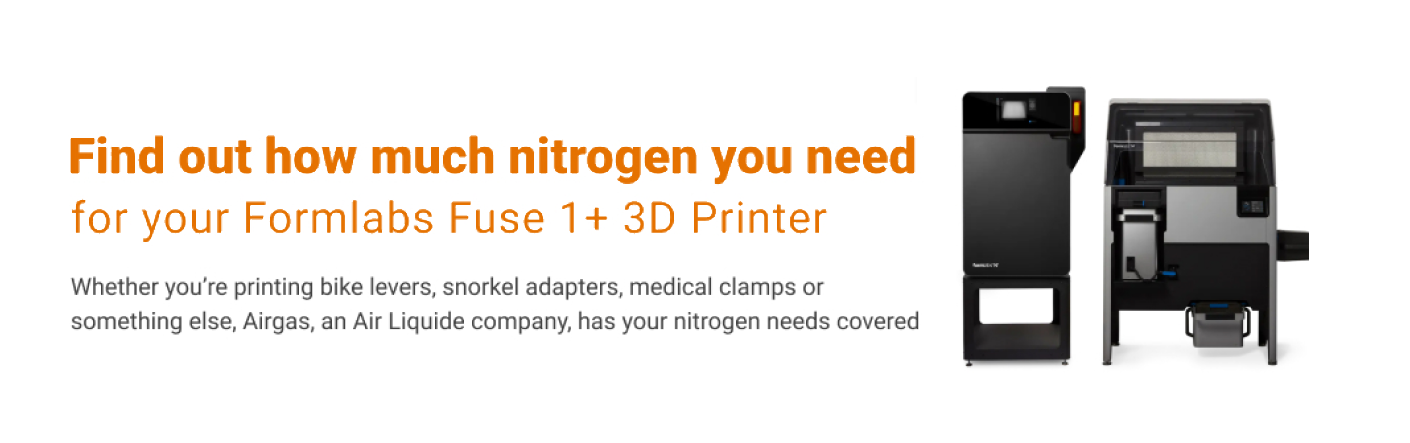
Formlabs 3D printer & Airgas Calculator Hero Image
About 3D Printing and Nitrogen
Formlabs Fuse 1+ 30W 3D printers use nitrogen to reduce refresh rates and enhance material properties, but the printers don't include a nitrogen supply. Formlabs partnered with Airgas to become their recommended supplier, with the condition that Airgas create a usage calculator to help customers determine their nitrogen requirements based on printing habits.
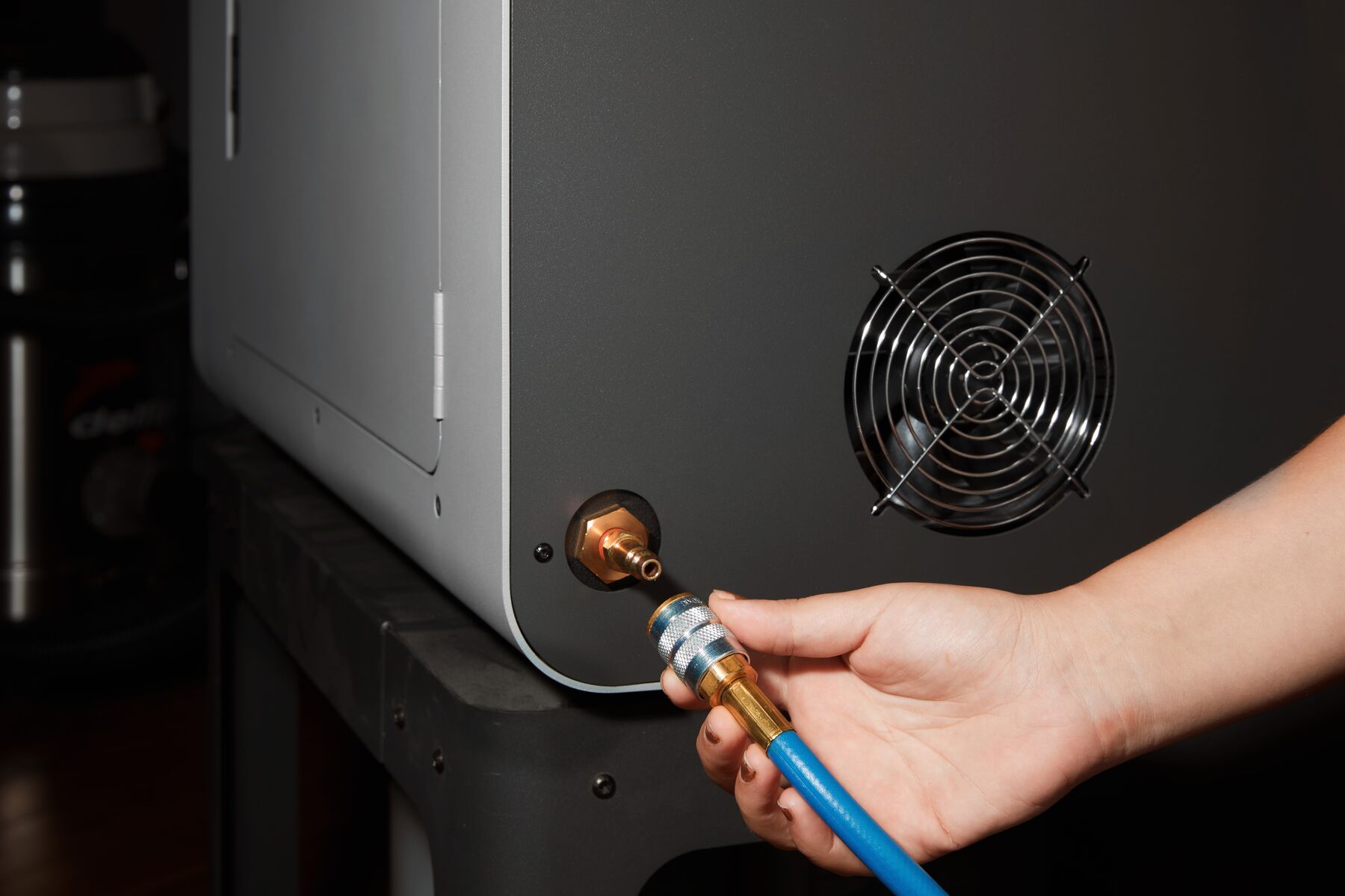
Attaching a nitrogen supply to a Fuse 1+ 30W 3D Printer
Airgas can supply nitrogen in five main forms: single canisters, 12-packs, liquid cylinders, micro bulk, and bulk.
UX Research
Before conducting user research, I first researched the technical specifications of the Formlabs Fuse 1+ 30W 3D printer and its nitrogen consumption process to understand what users were trying to accomplish. To better understand the target audience, I consulted with additive manufacturing experts within Airgas and a Formlabs 3D printing specialist, learning that effective research requires understanding both the users and the complex domain they operate within.
Pain Points
From my interviews, I gathered that most of the users will likely not be very knowledgeable about nitrogen supply and many will seek additional resources.
- Likely unfamiliar with nitrogen and gas supply modes
- Time-constraints, need relevant information quickly
- Same printer used across very different industries for varied purposes
Strengths
Along with pain points, I identified common points of strength among users, including their familiarity with 3D printing and establishing suppliers for their industrial needs.
- Industrial 3D printing and manufacturing knowledge and familiarity
- Knowledge of industrial processes and general contact with suppliers
- Mostly technology-literate and web-literate
Journey Mapping
It was important to take into account the user's entire journey from before finding the calculator and after they have gained their necessary information from it. This journey map was a rough draft of the expected path that a user could take when using the calculator. An important note is it was required that the calculator be gated and users submit an email in order to access it.
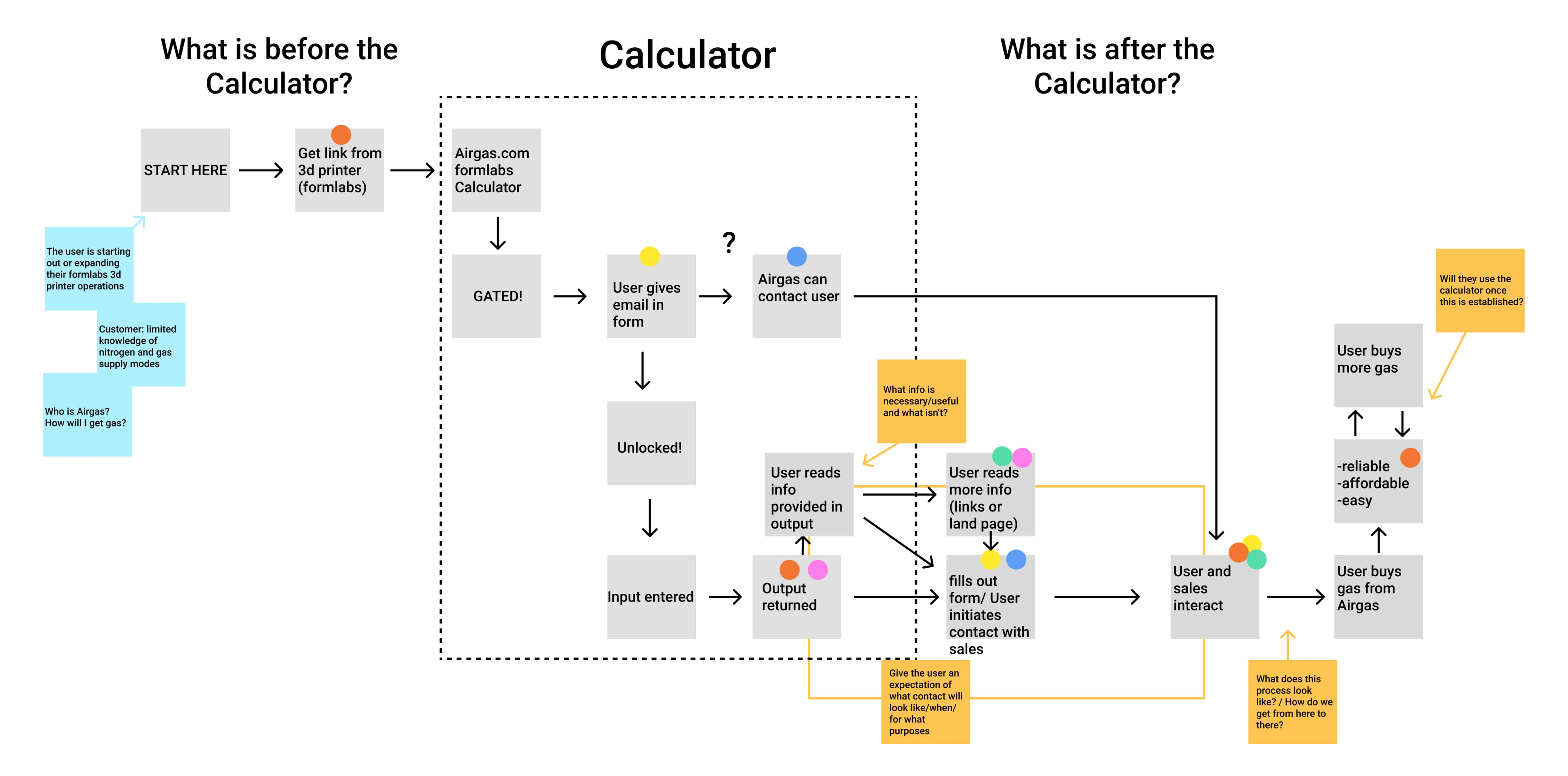
Before and After Calculator Usage - Journey Map
Calculator Parts
After consulting with Formlabs and Airgas experts, along with project stakeholders, designers, developers, and copywriters, I defined the key requirements for an effective nitrogen calculator.
Clear Calculation
The calculator must be given three clearly defined inputs from the user:
- how many hours a build requires,
- the amount of printers used,
- and how many builds are completed per printer per week.
Once it takes this information in, it will give the user two important outputs:
- how much nitrogen is required per week (in square cubic feet)
- and the most appropriate weekly supply mode based on the calculated quantity of nitrogen.
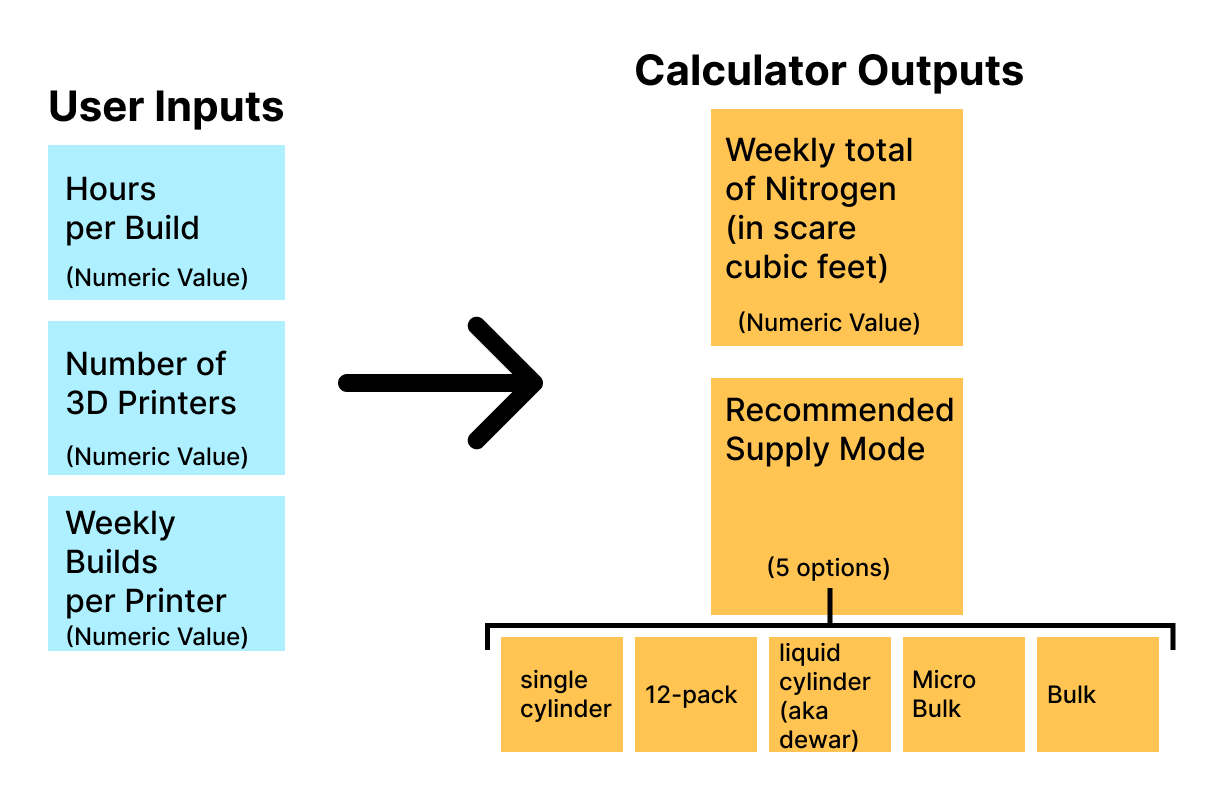
Calculator inputs and outputs
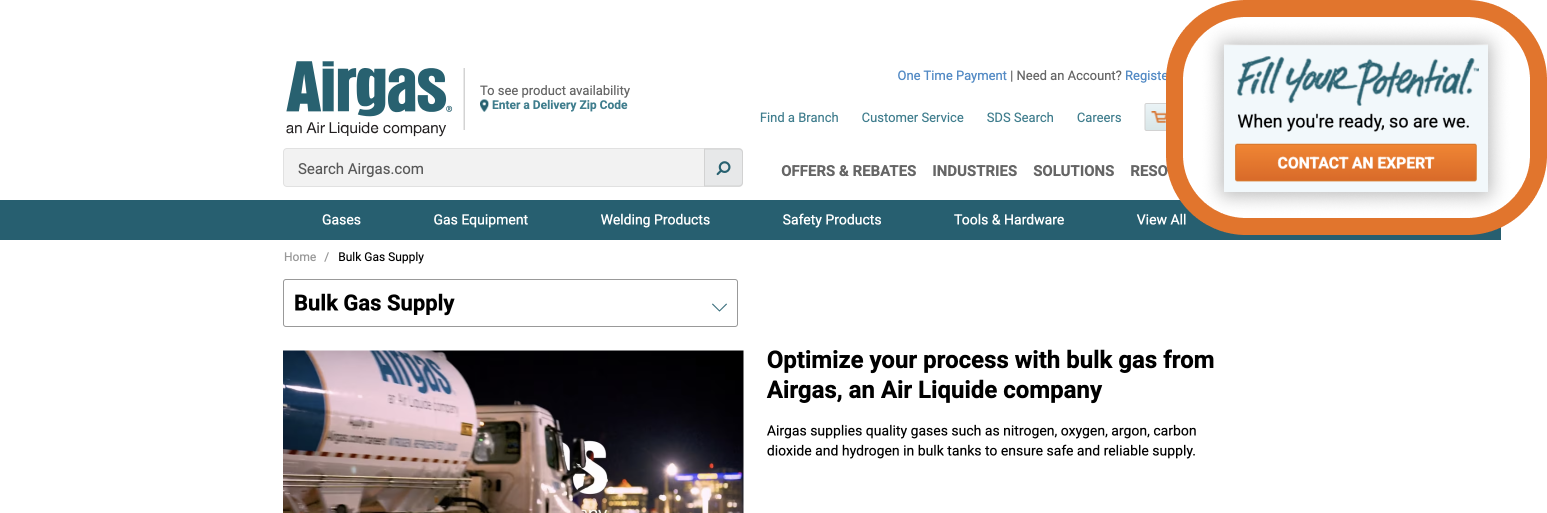
Contact Airgas CTA
Another important aspect is that once users receive their calculations, they should be directed to the next appropriate action in the process: contacting airgas to set up a weekly gas supply service.
It was important that this CTA was easy for users to find in multiple places on the page, such as the site's standard sticky CTA.
Floating CTA on most specialty gases pages
Design
Inital Sketches
These sketches represent several different directions discussed among the design and development team. The copy was not finalized at this stage. The two main directions involved being more text driven, while the others involved graphic components.
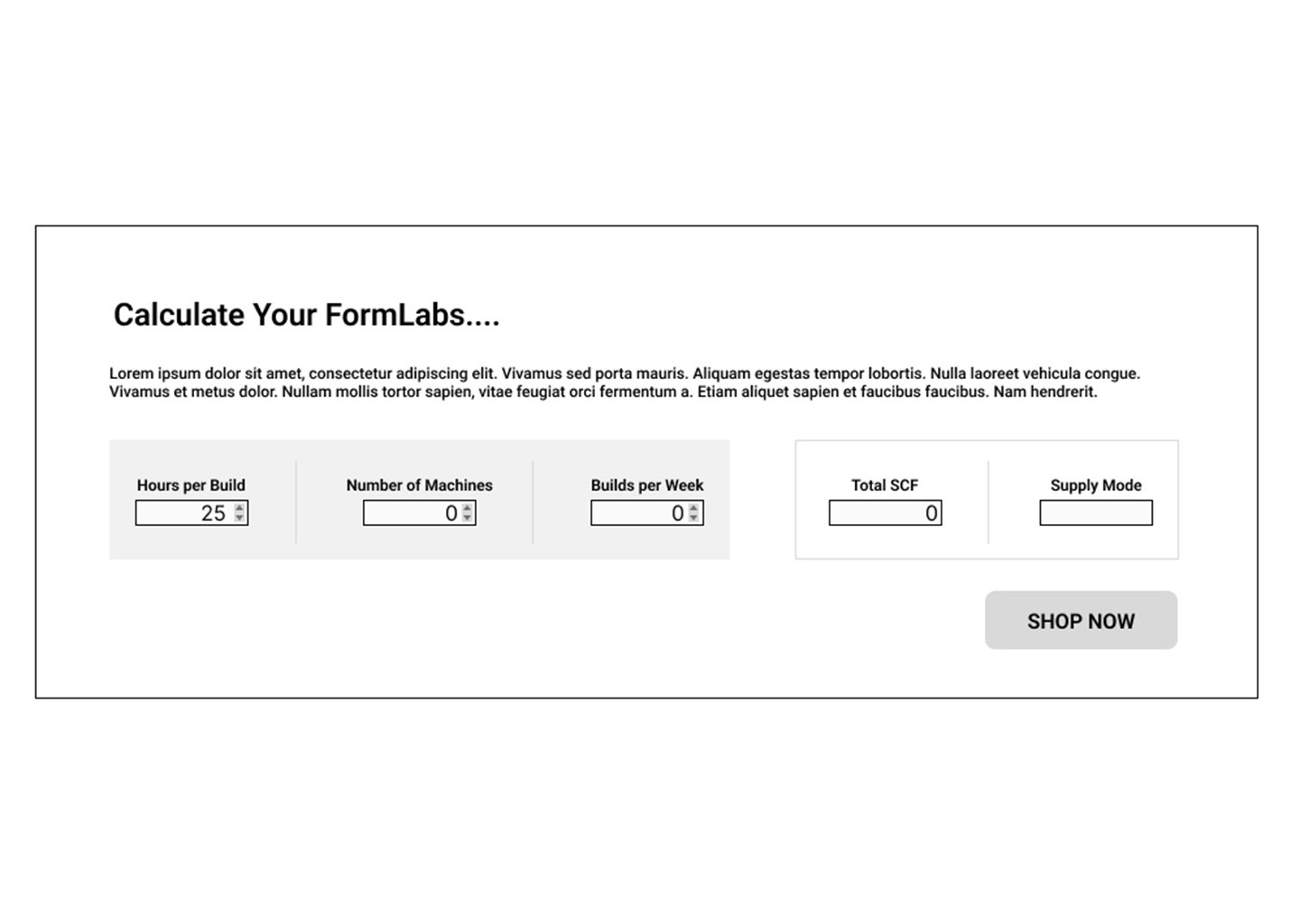
Iteration One:Text-Based
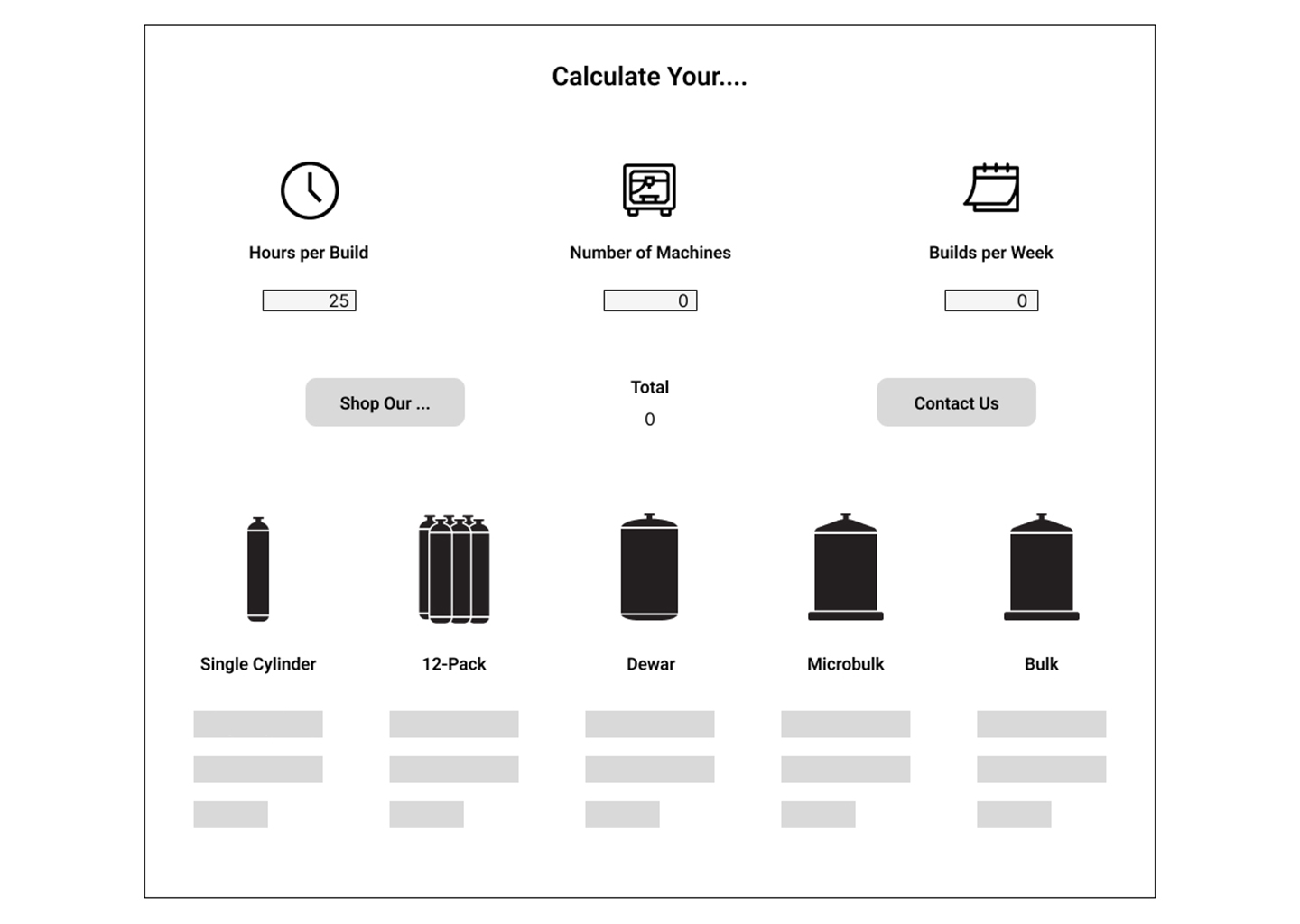
Iteration Two: Simple Icons
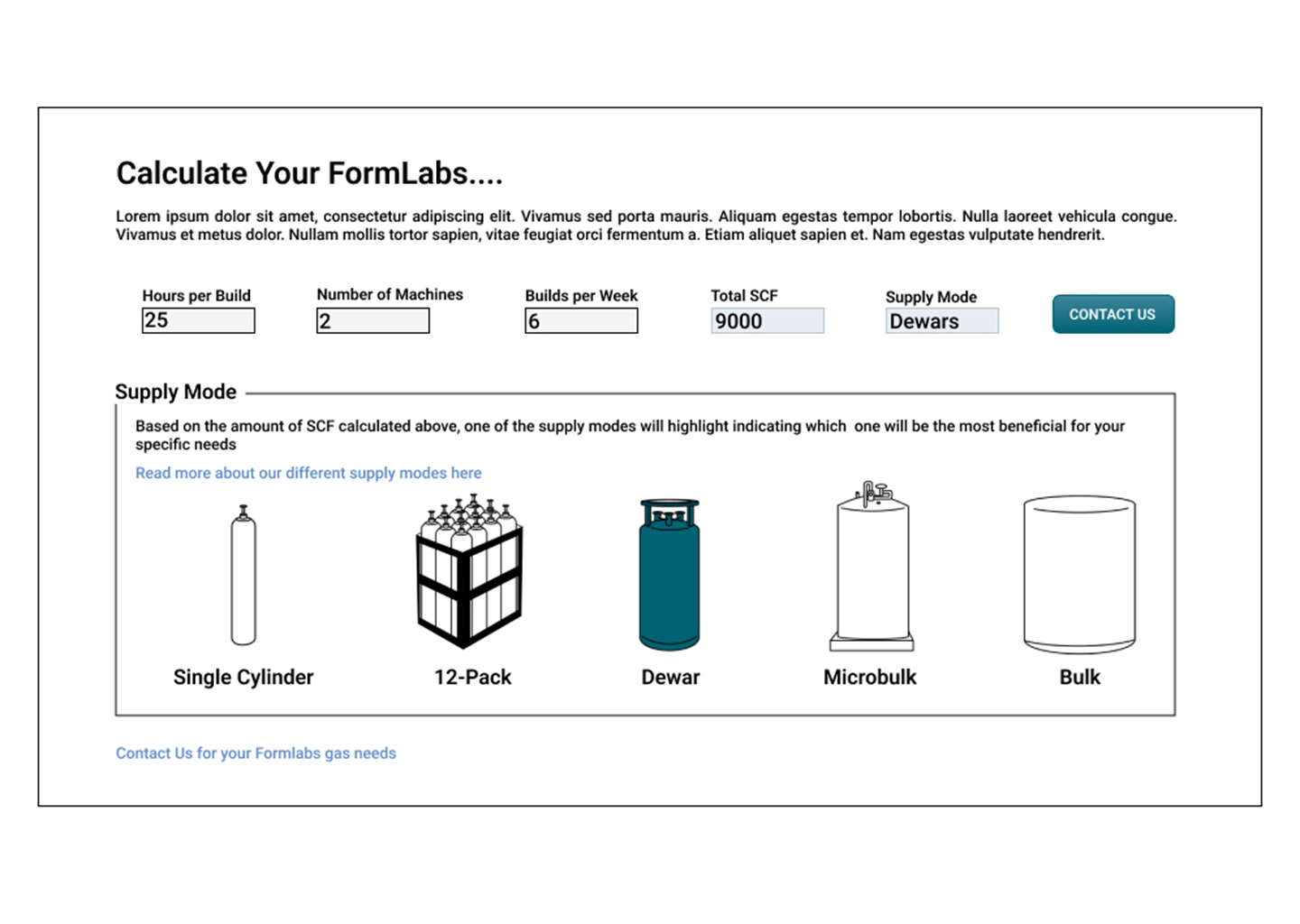
Iteration Three: Illustrations
Selected Concept
This concept was selected based on several factors. The illustrations displaying the different supply modes were consistent with resource pages associated with each supply mode. Using the Airgas teal to designate the appropriate supple mode was essential.
Another function I wanted users to be able to utilize was how they can see their calculated quantity of nitrogen in each of the supply modes. For example, if their most appropriate supply mode is 4 liquid cylinders/dewars a week, users are still able to see how much that would equate to in a smaller quantity, like single cylinders. It would still heavily be made clear what the recommended mode is when they flip through their options.
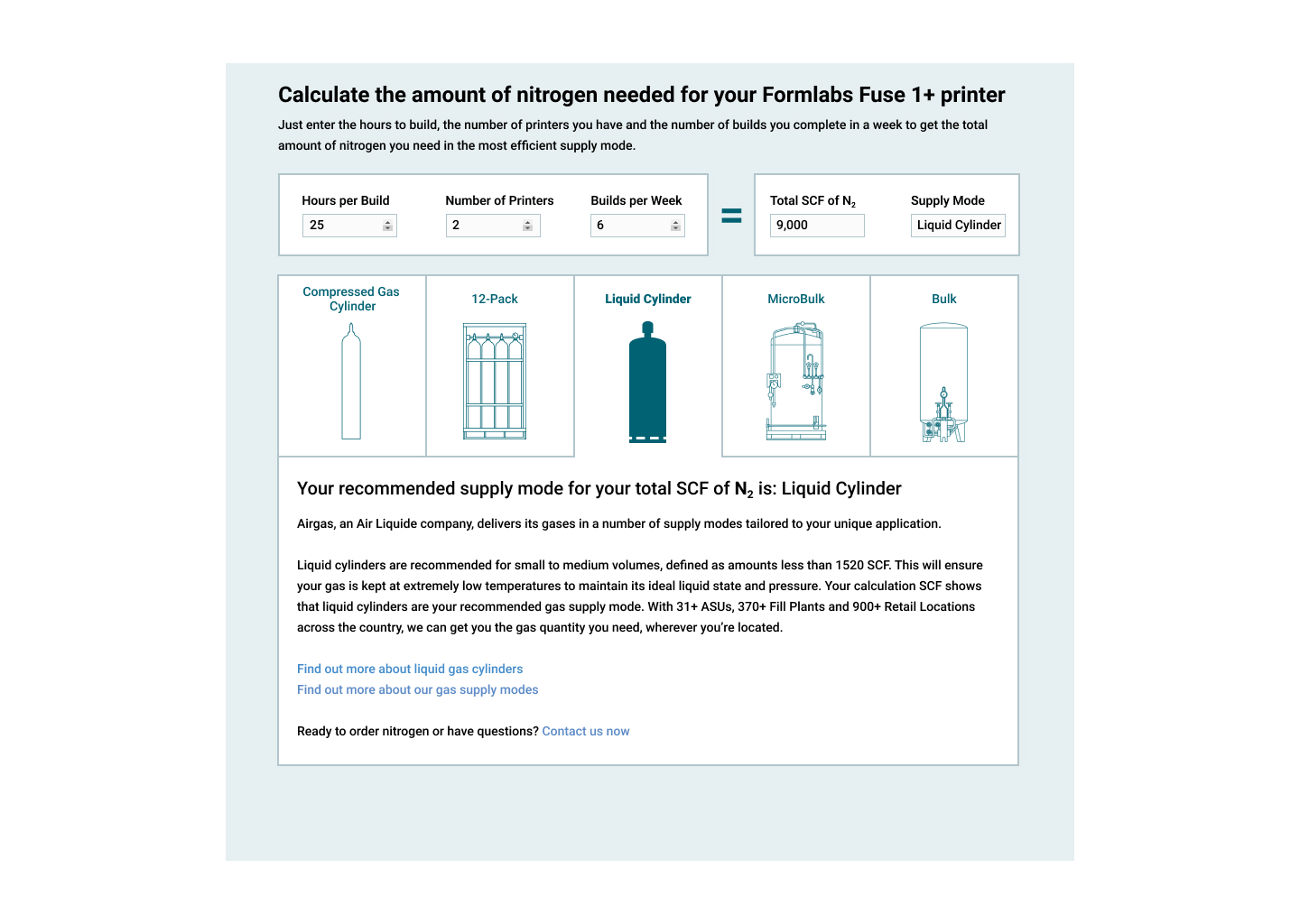
Selected Concept Sketch
The live calculator is available on Airgas's website for interaction, though an email is required for use.
Several refinements were made after this concept was selected, including an additional legal disclaimer and visual indicators (green checkmark and red X icons) that show users which supply mode is recommended when viewing results across multiple options.
Final Destination
Beyond Personal Aesthetic
Effective design required setting aside my personal visual preferences to serve an audience with very different needs and expectations than my own. The industrial, technical nature of the 3D printing calculator demanded design decisions that prioritized user familiarity and functional clarity over my preferred aesthetic approaches.
Cross-Disciplinary Communication
While I was primarily the UI designer on this project, success required learning to communicate effectively across vastly different disciplines and expertise areas. I had to adapt my communication style when working with developers on technical constraints, copywriters on messaging strategy, and stakeholders on business objectives, with each role requiring different approaches to collaborate successfully.
Technical Research for Design
This project required extensive research beyond traditional UX methods. I had to dive deep into the technical aspects of 3D printing, nitrogen consumption rates, and industrial gas supply chains before I could effectively design for users. This was vital in understanding the users' needs and the complex subject matter they were navigating to create a tool that served effectively in their decision-making process.